
A sold-out post is a stock fact, not a personality. Product shops still publish it like a victory lap: all caps, a countdown that is not real, and a link that opens an empty cart. Buyers who wanted the item feel teased. Buyers who missed it learn that your urgency is a costume. The next launch gets less trust, not more.
This guide is the honest version. It sits beside the one-week launch plan and the DM replies you already use when someone asks “is it back?” It does not replace those pieces. It covers the week the product is gone, and the morning it returns.
Search already shows shops looking for a sold-out Instagram post. Most results tell you to manufacture scarcity. A small shop cannot afford that. You either have units or you do not.
Say the stock truth in one line
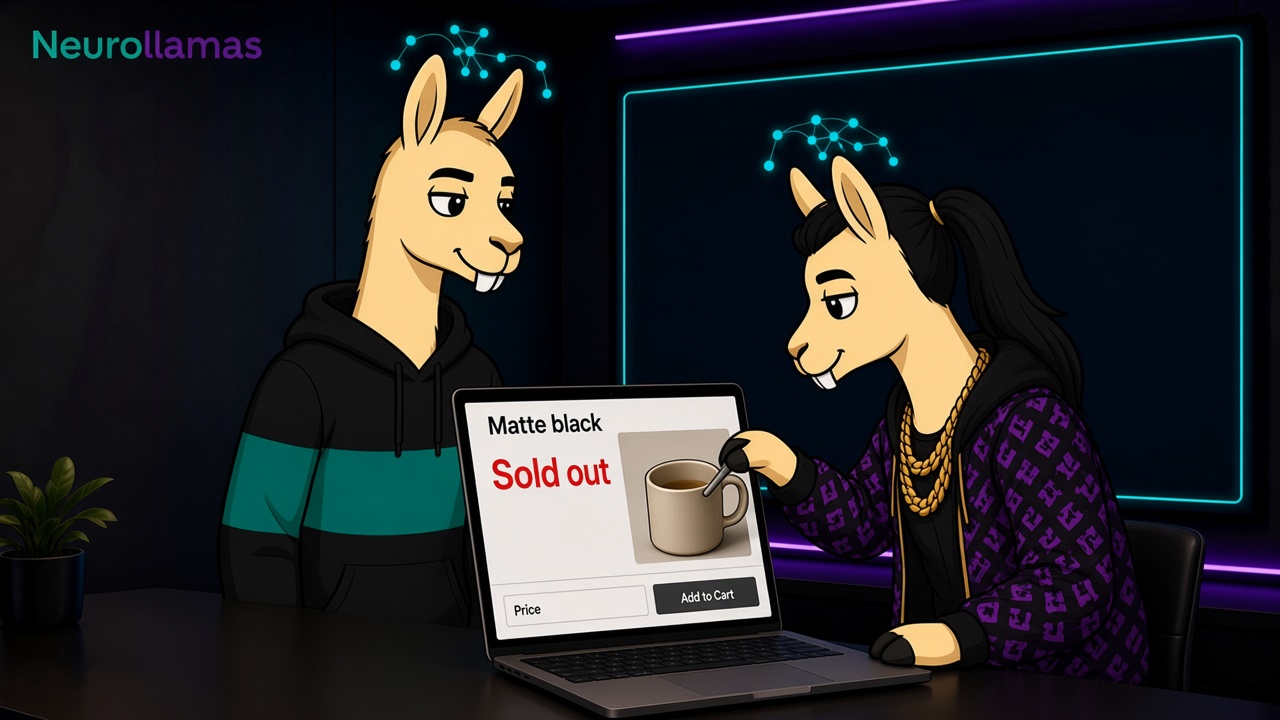
The first line of the caption, the sticker, or the on-screen text should be a sentence a warehouse person would accept:
- The ceramic pour-over in matte black is sold out.
- Size M of the wool cap is sold out. S and L are still in stock.
- The drop is closed. We will not take more orders for this batch.
Do not write “gone in minutes” unless you can point to the order time. Do not write “you blinked” as if the buyer failed a test. People who save your posts are often in another time zone, on a shift, or simply not living inside your launch.
If only one variant is gone, name the variant. A blanket “SOLD OUT” on a product that still has three colors trains people to ignore your stock language. The product page must say the same thing. If the grid says sold out and the page still shows Add to cart, you have created a support ticket, not a brand moment.
Pick one next step, and only one
A sold-out post needs a door that still works. Choose one:
- Waitlist: one link or one DM keyword, and a date you will actually email or reply.
- Sibling product: a specific item that solves the same job, with its real name.
- Restock window: a week or a month you believe, not “soon.”
- Close: “This batch will not return” when that is the truth.
Two doors is how people get lost. “Join the waitlist, or DM us, or check the highlight, or use code BACK” is not service. It is a menu. Pick the door your shop can staff this week.
If the next step is a waitlist, say what they are joining. “We will message you when this color is cut again” is clear. “Join the family” is not. Store the exact sentence on the brand profile so the next sold-out caption does not invent a softer promise.
Match the frame to the fact
Use the same product photo people already trust. A new lifestyle scene for a sold-out notice makes the post look like an ad for something they cannot buy. A simple crop, the product name, and the words “sold out” or “waitlist open” are enough.
On Stories, three frames are plenty:
- Frame one: the product and the stock sentence.
- Frame two: the one next step, with the link sticker or the DM word.
- Frame three: what is still available, if anything is.
Do not add a poll that asks “should we restock?” unless you will treat the answer as a decision. A poll you ignore is another small lie. If you need demand proof, the waitlist count is cleaner than a sticker.
Write the restock before you photograph it
Restock day fails when the caption sounds like a brand-new launch and the page still shows the old sold-out state for an hour. Write the restock card the day before:
- Product and variant names, exactly as the page lists them.
- Quantity honesty: “a small restock” only if the number is actually small.
- Price: same as before, or the new price stated once.
- Who hears first: waitlist, then the feed, in that order if you promised it.
- Time: the hour the cart opens, in the zone you ship from, plus one other zone if your buyers are split.
Send the waitlist before the public post if you promised them first. A public Reel that beats your own email is how a list dies. The Monday metrics card should count waitlist replies and restock orders, not only the Reel’s reach.
Keep the voice the same as a normal week
Sold-out week is when shops suddenly shout. The offer language you froze in the brand kit still applies. If you do not use “babes,” “don’t sleep,” or fake clocks on a Tuesday, do not use them when the shelf is empty.
A calm line converts better for a product shop because it sounds like a person who has checked the shelf:
- Good: “Matte black is sold out. Sand is still here. Waitlist for black is on the page.”
- Weak: “THEY’RE GONE. If you know, you know. Link in bio for the vibe.”
Read it aloud next to a normal caption. If it sounds like a different company, rewrite it before you post.
Answer the inbox with the same sentence
The post will create DMs. That is fine if the reply is the caption, shortened:
- “Matte black is sold out. I can add you to the restock list. Sand ships now if you want that instead.”
- “This batch will not be recut. The closest match on the page is the stone mug.”
Do not negotiate a secret restock in the inbox that the public post denied. Staff should not have a second policy. Pin the reply block next to the other blocks in your DM system.
Stop the patterns that burn the next launch
- Posting sold out while checkout still works, “for engagement.”
- A 15-minute cart you reopen quietly for friends.
- Restocking every Friday and still writing “once it’s gone, it’s gone.”
- Hiding which size sold out so the caption looks more dramatic.
- Using a comment keyword you cannot fulfill the same day.
Each of these teaches the audience to wait, to doubt, or to DM for a side door. You can feel the result on the next launch: more “is it actually live?” messages, fewer clean orders. Meta’s own commerce guidance is about accurate product info, not theater. Keep the public facts aligned with the page the way Meta Business Help expects a catalog to match what you show.
Give sold-out and restock an owner
Someone has to be allowed to say the product is gone, and someone has to update the page before the Story goes up. In a two-person shop that is often the same person. Write the name on the launch card anyway. If that person is in the stockroom, the post waits. A late honest post is better than an early wrong one.
Set a rule for comments: for the first two hours, reply to stock questions with the one sentence. After that, point people to the Highlight you saved from the three Story frames. Do not leave “is the blue back?” unanswered until Monday. Silence reads as chaos, and chaos reads as a shop that might not ship.
Measure the post like a stock event
On the Monday card, add four lines for this event only:
- Orders in the hour before you posted sold out, so you know the real close.
- Waitlist joins from the one link.
- DMs that asked a question the caption already answered.
- Restock orders from people who were on the list versus people who only saw the feed.
If most restock orders come from the public feed and the list is quiet, the list promise was weak or late. If DMs repeat the caption, the first line was unclear or the link was buried. Fix the sentence. Do not “boost” the sold-out Reel to strangers who cannot buy.
Save the frames where buyers can find them
A sold-out Story disappears. The question does not. Save the stock frame and the next-step frame into a Highlight named with the product, or into an existing Orders highlight if you keep one board for the shop. Update the cover when the item returns so the Highlight does not keep saying sold out after the page is live.
Delete or archive the grid tile if it still pushes a dead link as the newest post a week later. You can leave the tile if the caption was updated and the first line now says it is back. Stale sold-out tiles at the front of the grid make a living shop look closed.
Run the next one from the same card
Keep a half-page card: product, variant truth, one next step, page URL, waitlist order, and the sentence. When the following SKU sells through, you fill the blanks. You do not brainstorm a new mood.
Build the frame in the studio, check the profile order in Instagram UI, and open the real page on a phone before the sticker goes up. If the week is a planned launch, this card is the last day of the launch plan, not a separate brand.
Sold out is a fact you can say plainly. Restock is a promise you only publish when the cart matches the caption. Shops that keep those two sentences honest get to launch again. Shops that treat stock as a plot twist spend the next month explaining themselves in the inbox.