
A product shop can post every day and still look unfinished when someone opens the profile. The grid is the shop window. People do not read it as a diary. They scan nine tiles and decide whether the shop is clear, current, and worth a tap.
This guide is a planning system for that window. It covers the jobs each tile should do, a repeatable layout, cover rules that survive a tiny thumbnail, and a short session you can run before the next upload. Draft the frames in the Neurollamas studio, then preview the whole profile in Instagram UI before you commit the week.
If people cannot find the profile yet, start with Instagram SEO for local shops. The grid only sells after someone arrives. This page is about what they should understand in the first glance.
Treat the grid as merchandising
Feed posts are temporary in the algorithm and permanent on the profile. A strong Reel can travel and still leave a messy grid if the cover, crop, and neighbors do not belong together. Buyers who tap through from a Reel, a Story, or a search result land on that grid. If the tiles argue with each other, trust drops before the bio is read.
Merchandising means a stranger can answer four questions without opening a caption:
- What do you sell?
- Who is it for?
- Why should they trust the product?
- What should they do next?
Pretty cohesion is not the same answer. A grid of beige backgrounds can look expensive and still hide the product, the price range, and the way to buy. Decide the commercial job first. Then choose color, type, and crop to support it.
Give every tile one of three jobs
Most shops only need three recurring jobs. More categories create a feed that feels busy and a planning meeting that never ends.
Show the product
Catalog tiles prove the item exists and looks like the thing you ship. Use a consistent angle, true color, and enough space that the shape reads at thumbnail size. These tiles should match the accuracy rules in AI product photos that look on-brand. A generated scene is welcome only after the product itself is still recognizable.
Prove it works
Proof tiles answer the objection a buyer would ask in the shop: fit, texture, ingredients, durability, how it is used, who it is for. A hand, a worn-in detail, a size comparison, or a short before-and-after is more useful than another hero shot. Do not invent testimonials. If you do not have a customer quote, show a process you can stand behind.
Make the offer easy
Offer tiles state what is available now: a restock, a bundle, a local pickup window, a limited color. One offer tile in a nine-tile set is usually enough. A grid that is only offers feels like a flyer. A grid with no offer leaves people admiring and leaving.
Write the job on the content card before you design the image. “Proof: strap holds a full water bottle” is a brief. “Make it aesthetic” is not.
Pick a pattern you can repeat
Choose one pattern and keep it for at least a month. Switching layouts every week makes the profile look like three different shops.
- Rows of three: product, proof, offer. Easy to plan and easy to audit.
- Center column: offers and covers stay in the middle, where the eye lands. Use this if your covers carry the words.
- Checker: catalog frames alternate with use-case frames. Good when the product needs context to make sense.
Avoid a pattern that depends on a perfect square of nine forever. New posts push old ones down. Design each new row so it still makes sense when it becomes the top row, and so the row beneath it does not suddenly clash. Check the next three posts as a strip, not only the single image you are about to upload.
Leave room for a live post
A restock, a repair, or a weather day at a local shop should be allowed to break the pattern once. Mark that tile as an exception in the calendar so the following row returns to the pattern. Consistency is a system, not a prison.
Design covers for the thumbnail, not the lightbox
People judge the grid at a size smaller than a postage stamp. Fine serif headlines, edge-to-edge product crops, and low-contrast type disappear. Build a cover test: shrink the frame until it is about the width of your thumb and ask whether the product and the point still read.
- Keep the product away from the extreme corners, where the profile crop and the play icon can cover it.
- Use one type style for words on images. Two fonts across nine tiles looks like a template pack.
- Put words in the same zone each time, usually the lower third, so the row aligns.
- If a Reel cover needs a title, use three to five words. The caption can carry the rest. The system in Instagram captions that rank and sell is where the longer phrase belongs.
- Do not bake the price into the image unless the price is stable. A wrong number stays on the grid after the offer ends.
Carousels need the same discipline on slide one. The later slides never appear in the grid. Follow carousels that convert for the swipe, and design the cover as if nobody swipes.
Sequence nine tiles a stranger can read
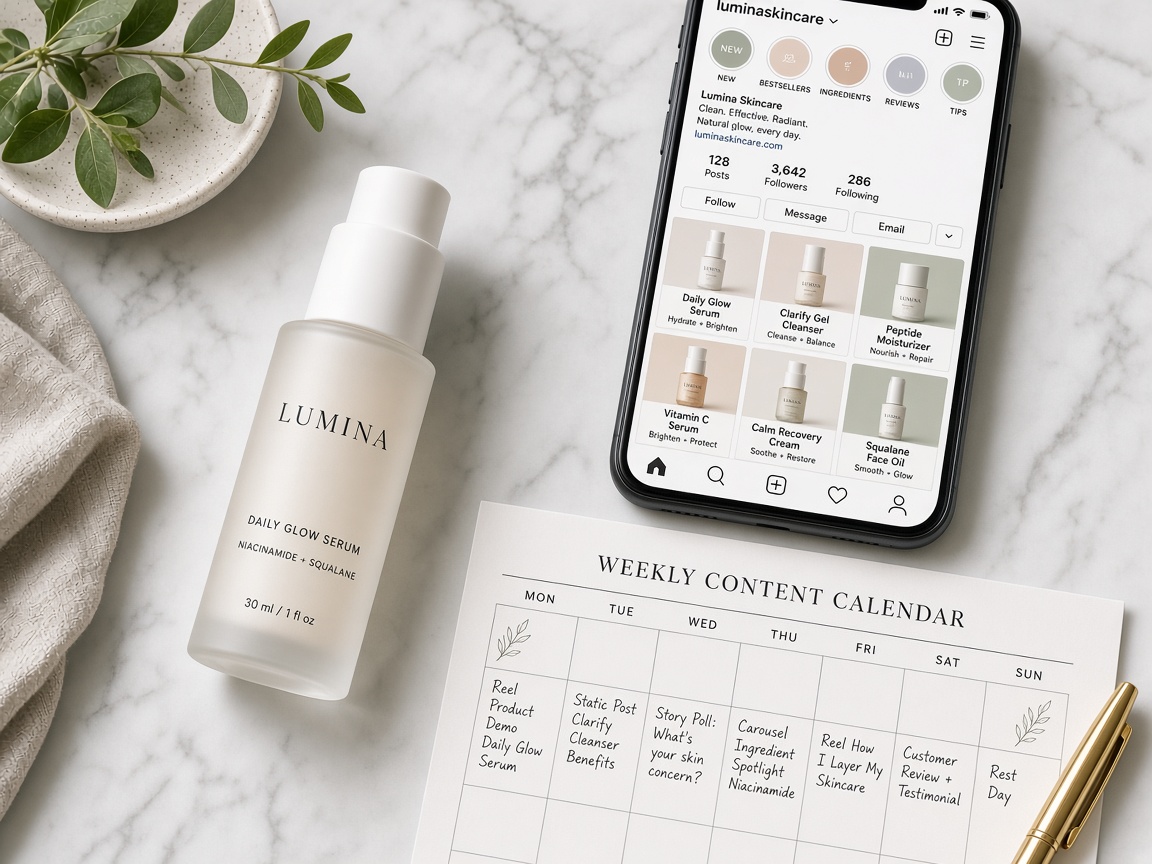
Open a blank nine-cell map. Fill it in posting order, remembering that the newest post sits at the top left. A useful first set for a single-product shop often looks like this:
- Clearest product frame, no joke, no filter that shifts the color.
- Use-case or worn detail that answers the main objection.
- One current offer or a “how to buy” tile with a real next step.
- Second angle or variant, still the same light family.
- Process or materials, so the product feels made rather than pasted.
- Proof: a review you can verify, a restock note, or a sizing fact.
- A Reel cover whose still frame matches the still photos.
- A quieter education tile: care, ingredients, or who it is not for.
- A human or local tile only if it helps the shop feel reachable. Skip it if it hides the product.
Shops with several lines should not give every SKU a tile in the first nine. Lead with the hero people actually buy, then one supporting line. The rest can live in Highlights, which is the job of Stories and Highlights that sell.
Match the grid to the page it sends people to
The grid fails in a specific way: the post promises a warm, handmade candle and the link opens a cold template with a different photo and a different product name. Hold the top row next to the destination. Same product, same color, same claim. The guide to a product page that matches your Instagram is the other half of this job. Preview that page in Website UI while the grid is still a draft.
If you sell in person, the grid should also match the shelf a visitor will see. A neon render of a cream jar creates a letdown at the counter. Local discovery advice in the SEO guide still applies: neighborhood, hours, and pickup language belong in the bio and in at least one tile, not only in a caption nobody opens.
Run a two-hour grid session
- Fifteen minutes: screenshot the current top nine. Note which tiles fail the four questions.
- Twenty minutes: pick the pattern and the three jobs. Do not redesign the logo.
- Forty minutes: choose or generate the next six to nine frames from real product photos. Reject any frame that changes the product’s shape or color.
- Twenty minutes: write cover words and check them at thumbnail size. Fix crops in Pro Edit.
- Fifteen minutes: place the frames in Instagram UI, including the bio line, so you see the profile and not a folder of files.
- Ten minutes: assign dates. Pin only a tile that still answers “what do you sell?” If the pin is an old meme, unpin it.
Save the approved row as a reference board on the brand profile. The next session should start from that board, not from a blank mood board.
Measure the window, not only the post
Single-post likes will not tell you whether the grid works. Once a week, record:
- Profile visits from the posts you actually published.
- Follows that arrive after a grid visit, not only after a Reel spike.
- Taps to the link, the shop, or the directions button.
- DMs that ask “what is this?” Those questions mean the tile was interesting and unclear.
- Comments that name the product correctly. That is comprehension.
If a Reel gets reach and the profile does not get follows, the cover or the neighboring tiles are probably the break. Replace the weakest tile in the top row before you film another video.
Instagram’s own Help Center is the place to confirm how grid crops, pinned posts, and professional tools currently work. Those controls change. Your merchandising rules should not.
Fix the failures that look like taste problems
- All atmosphere, no object. The feed feels like a lifestyle magazine and the product is a speck. Move the product forward on the next three tiles.
- All product, no use. People know the shape and still do not know why to care. Add one proof tile per row.
- Random type. Each post uses a new font, sticker, or caption-on-image style. Lock one cover system.
- Color drift. Generated backgrounds swing from daylight to neon. Keep one light family, as the on-brand photo guide describes.
- Dead pins. The first tiles are months old and no longer sold. Pins are merchandising. Update them when the offer changes.
Put the next nine tiles to work
A selling grid is a small set of decisions you can repeat: three jobs, one pattern, covers that survive a thumbnail, and a destination that matches the photo. You do not need a new visual identity every Monday.
Build the next row in the Neurollamas studio, clean the type in Pro Edit, and look at the profile as a whole in Instagram UI before you publish. Keep the voice notes on the brand profile so the tiles and the captions describe the same shop. When the row is approved, the weekly rhythm in content autopilot for retail brands can carry it without another reinvention.
Browse Neurollamas Mag when the grid needs a stronger caption, carousel, or Story behind the same products. The window only works if the shop behind it is the same shop.