

A month of shop content does not require thirty unrelated ideas. It requires a small number of commercial priorities, a reusable set of formats, and an afternoon protected from daily interruptions. The objective is not to schedule every spontaneous moment. It is to prepare the reliable core so launches, customer questions, and store updates have room to breathe.
This guide shows how to batch a month of shop content in roughly one focused afternoon. It is designed for a founder, small product team, local retailer, or creator brand with limited production time. You will leave with a four-week map, draft assets, captions, an approval queue, and clear gaps for live posts. Use the Neurollamas studio for asset variants and social-ready formats, then connect the batch to the operating rhythm in content autopilot for retail brands.
Do not interpret batching as locking the account for a month. Stock changes, local events move, and customer conversations create useful content. Batch the predictable work, then keep a small flexible lane.
Set a realistic monthly output

Choose a cadence your team can publish and support. A useful small-shop baseline is three feed posts per week, two or three planned Story sequences, and one flexible Story lane for real-time updates. That creates twelve core feed pieces across four weeks, not an impossible daily production target.
Divide the twelve posts into four jobs:
- Demand: show why a product belongs in the customer’s routine.
- Proof: demonstrate use, materials, fit, process, or customer experience.
- Education: help people choose, care for, style, or compare products.
- Offer: communicate an accurate launch, bundle, restock, event, or purchase step.
A balanced starting mix is three posts for each job. Adjust around real commercial needs. A launch month may need more demand and proof. A quiet evergreen month may lean into education. The categories prevent twelve versions of “shop now.”
Prepare inputs before the afternoon begins
Batching fails when the session becomes a search for prices, files, and passwords. Spend thirty minutes on a different day gathering inputs, or ask the relevant owner to deliver them before the block.
- Monthly commercial goal and priority products.
- Verified prices, variants, stock risks, launch dates, and dispatch information.
- Approved product photos, video clips, logos, fonts, and templates.
- Top customer questions from DMs, email, reviews, and the shop floor.
- Brand voice notes, prohibited claims, and required legal wording.
- Product and collection links with a tracking convention.
- Calendar constraints such as holidays, markets, closures, and team availability.
If one item is uncertain, mark it instead of guessing. A blank price awaiting confirmation is safer than scheduling the wrong one. Assign an owner and deadline for every unresolved field.
Choose four monthly themes
Give each week a loose theme connected to a buyer question. For a skincare shop: build a simple routine, understand texture, choose by skin need, and travel with the routine. For a stationery brand: desk reset, pen comparison, notebook use, and gift set. Themes reduce context switching while preserving variety.
Each theme should support demand, proof, education, and offer. It is a planning container, not a slogan that must appear in every caption.
Use a timed four-hour production block
Protect the afternoon as a production meeting with yourself or the team. Disable routine notifications and keep operational emergencies with one designated person. Use this schedule as a starting point:
- 00:00–00:30: confirm goal, products, weekly themes, and twelve post slots.
- 00:30–01:15: write hooks, buyer questions, format, and CTA for each slot.
- 01:15–02:15: select, shoot, or generate the minimum required visual assets.
- 02:15–03:10: draft captions, on-screen copy, and accessibility notes.
- 03:10–03:40: resize, name, link, and place assets in the calendar.
- 03:40–04:00: run accuracy review, assign gaps, and schedule approved posts.
The timing is a constraint, not a promise that every business works at the same speed. Your first session may take longer while templates are built. Record the bottleneck and improve it before the next month.
Map twelve posts without brainstorming from zero
Create a four-by-three grid. Rows are weekly themes. Columns are education, proof, and demand or offer. Fill each cell using a known customer question. This converts planning from “What should we post?” into “What does someone need to know about this week’s product?”
For a handmade bag shop, one week could contain:
- Education carousel: choose tote size by laptop, bottle, and daily carry.
- Proof Reel: pack each item into the medium tote in a single continuous demonstration.
- Offer photo: show available colors and direct shoppers to the verified collection page.
The posts share facts and assets but perform different jobs. That is efficient repetition, not duplicate content.
Pick the format after the job
Use a carousel when shoppers need steps, comparison, or reference. Use a Reel when motion proves the feature. Use a single image when the product and offer are simple. Use Stories for reminders, polls, service details, and live context. The guides to Instagram carousels that convert and UGC-style Reels without creators provide production frameworks for the two heavier formats.
Build an asset multiplier for each hero product
Choose two or three hero products for the month. For each one, gather a clean front view, detail, scale or use frame, and short motion action. From that small pack, create a feed image, carousel sequence, Reel insert, Story crop, and optional email or site crop.
Do not generate a completely new visual world for each placement. Keep lighting, palette, and props consistent. Follow the on-brand AI product photo workflow when source imagery needs new scenes. If a recurring character appears, prepare it with a character sheet before the batching session.
Use templates for speed but vary the information structure. A comparison carousel and a care carousel can share type styles while using different slide logic. A template should remove repetitive layout decisions, not flatten every topic.
Draft captions from a fact sheet
Create one product fact sheet containing correct name, materials, dimensions, use cases, care, variants, price location, shipping notes, and claims the brand may make. Caption writing becomes assembly from verified facts rather than improvisation.
For each post, fill four lines before polishing:
- Hook: the buyer problem, choice, or result.
- Proof: the visible feature or verified detail supporting it.
- Context: who it suits, how to use it, or an honest limitation.
- CTA: one action matched to the post’s job.
Then turn those notes into natural copy using the process in Instagram captions that rank and sell. Keep searchable language specific, verify time-sensitive details, and do not bury the product topic below generic enthusiasm.
Create a monthly calendar that operators can read
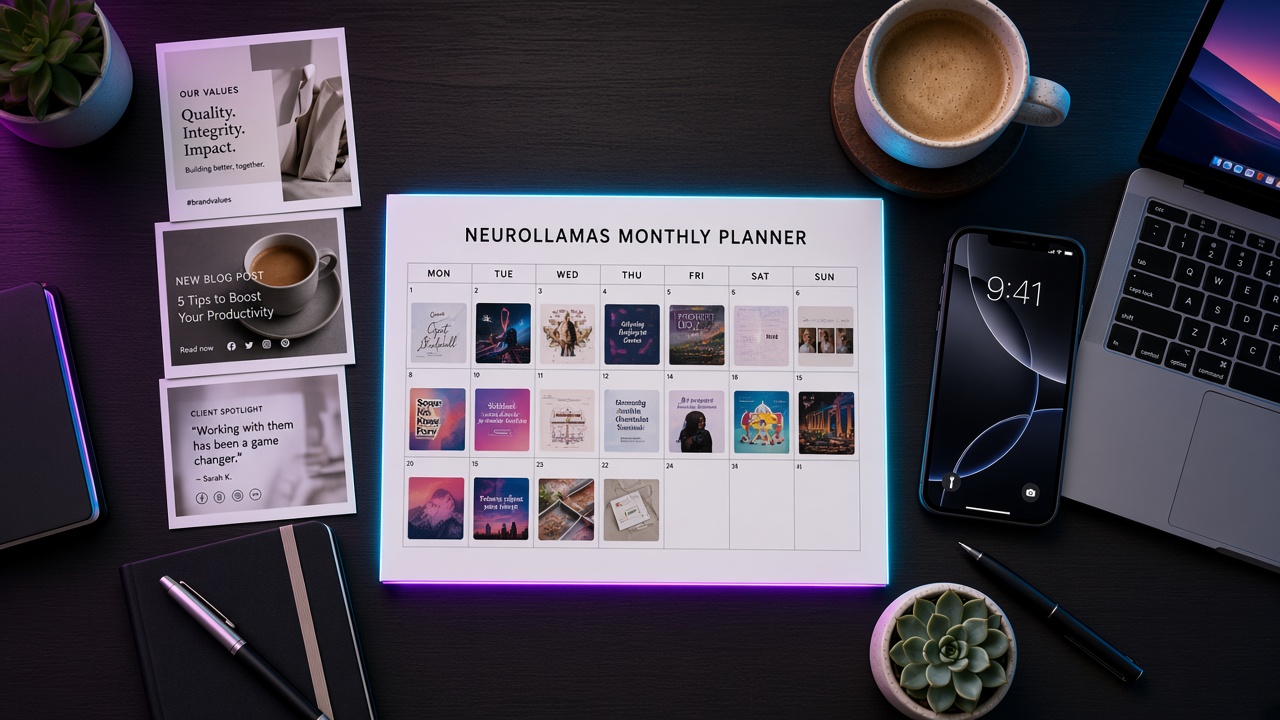
Your calendar needs operational fields, not just dates. Include publish date and time, channel, format, theme, product, job, asset link, caption link, CTA destination, tracking link, owner, approver, status, and a note for live updates. Keep one source of truth.
Use clear statuses: idea, drafted, needs product check, approved, scheduled, published, and measured. Avoid vague states such as “almost done.” A post requiring a confirmed price is not approved.
Leave at least one weekly Story slot unplanned. Use it for new stock, behind-the-scenes work, weather changes affecting a local shop, customer FAQs, or a timely response. The stable batch gives you capacity to handle these moments properly.
Run a short approval pass
Approval should protect accuracy, rights, and brand standards. It should not invite unlimited rewriting. Assign one product checker and one brand checker, even if one person holds both roles.
- Confirm SKU, variant, price, stock language, dates, and destination.
- Check claims against product evidence and remove unsupported superlatives.
- Review image accuracy, labels, hands, product scale, and included accessories.
- Confirm rights for people, customer material, music, fonts, and stock assets.
- Check mobile crop, captions, alt text, and one clear CTA.
Set an approval deadline. Preference comments that do not affect risk or the approved standard can inform next month’s templates. Otherwise the afternoon batch will stretch into weeks.
Schedule what is stable and hold what is not
Schedule evergreen education, approved product proof, and fixed campaign content. Hold posts dependent on stock, weather, event details, or late pricing until the responsible person confirms them. Add a calendar reminder rather than pretending uncertain content is complete.
Meta’s official Business Help Center provides current information about publishing and account tools. Check platform documentation because scheduling capabilities and interfaces change.
After scheduling, open each destination on mobile. Confirm that tracked links resolve, products are available, and landing pages match the caption. A perfect post linked to the wrong collection wastes the entire batch.
Repurpose without copy-and-paste fatigue
Repurposing means keeping the evidence while changing the editorial job. A product packing clip can become a proof Reel, a three-frame Story with labels, a carousel about capacity, and a still image supporting a size caption. Do not publish the same crop and wording four times.
Use the source asset library as building blocks. Change sequence, explanation, and CTA for each context. One accurate demonstration can answer several questions when edited intentionally. The existing product photo to Instagram week guide offers a detailed example of this multiplier.
Measure the batch in one monthly review
Create a short scorecard by content job. For education, examine saves, shares, qualified questions, and later product visits. For proof, review watch behavior, profile actions, and product-page sessions. For offers, review tracked visits, add-to-carts, sales, reservations, or store-response proxies.
Record three things: format to repeat, topic to expand, and post type to stop. Also record operational metrics: number published, late approvals, revision count, broken links, and hours spent. Batching should improve both content response and production reliability.
Do not invent attribution. A purchase after a post may have several influences. Use tracking links and platform insights as evidence, state limitations, and look for repeated patterns. Google’s official ecommerce measurement documentation is a practical reference when configuring site events.
Fix the common batching failures
The afternoon becomes a photo shoot
Fix it by preparing source assets beforehand and limiting the month to two or three hero products. Capture only missing proof shots during the block.
Every post sounds the same
Check content jobs. Demand, proof, education, and offer should use different evidence and CTAs even when they share a product.
Scheduled details become wrong
Hold volatile posts and assign confirmation dates. Never batch certainty you do not have.
The team still posts late
Add owners, approval deadlines, and explicit statuses. A calendar without responsibility is only a list.
There is no room for personality
Keep the live lane. Batching removes routine pressure so founders and shop teams can respond to real moments with more attention.
Install the system for next month
At the end of the first session, save the calendar template, product fact sheet, visual templates, caption worksheet, file naming pattern, approval checklist, and scorecard. Those artifacts are the real time savings. The second month should begin from a working system, not another blank document.
Build the month’s stills and clips in the Neurollamas studio, including the video engine and Sound Lab when a post needs motion or audio. Pull keyword themes from SEO tools, keep the voice on the brand profile, and lock any host on the character sheet. Before the calendar is full, spot-check the grid in Instagram UI and the pages those posts link to in Website UI. If the month’s offer is still vague, run the business growth survey first so you are not batching the wrong promise. Then move the approved queue into Content Autopilot and keep the operating rules in content autopilot for retail brands.
Browse Neurollamas Mag for deeper guidance on each format so the publishing rhythm survives busy shop weeks.
A productive batch afternoon does not remove judgment from social media. It moves judgment to the right moment: when goals, product facts, and customer questions are visible together. Prepare the core, leave room for live truth, and use the monthly review to make the next batch faster and more useful.